> For the complete documentation index, see [llms.txt](https://docs.birdie.so/birdie-docs/llms.txt). Markdown versions of documentation pages are available by appending `.md` to page URLs; this page is available as [Markdown](https://docs.birdie.so/birdie-docs/helpdesk/plain/flows/human-initiated-requests-via-snippet.md).
# Human-Initiated Requests (via Snippet)
Request screen recordings from customers in Plain using Snippets
Here’s how to set it up in just a few clicks:
### 1 – Create a Snippet in Plain
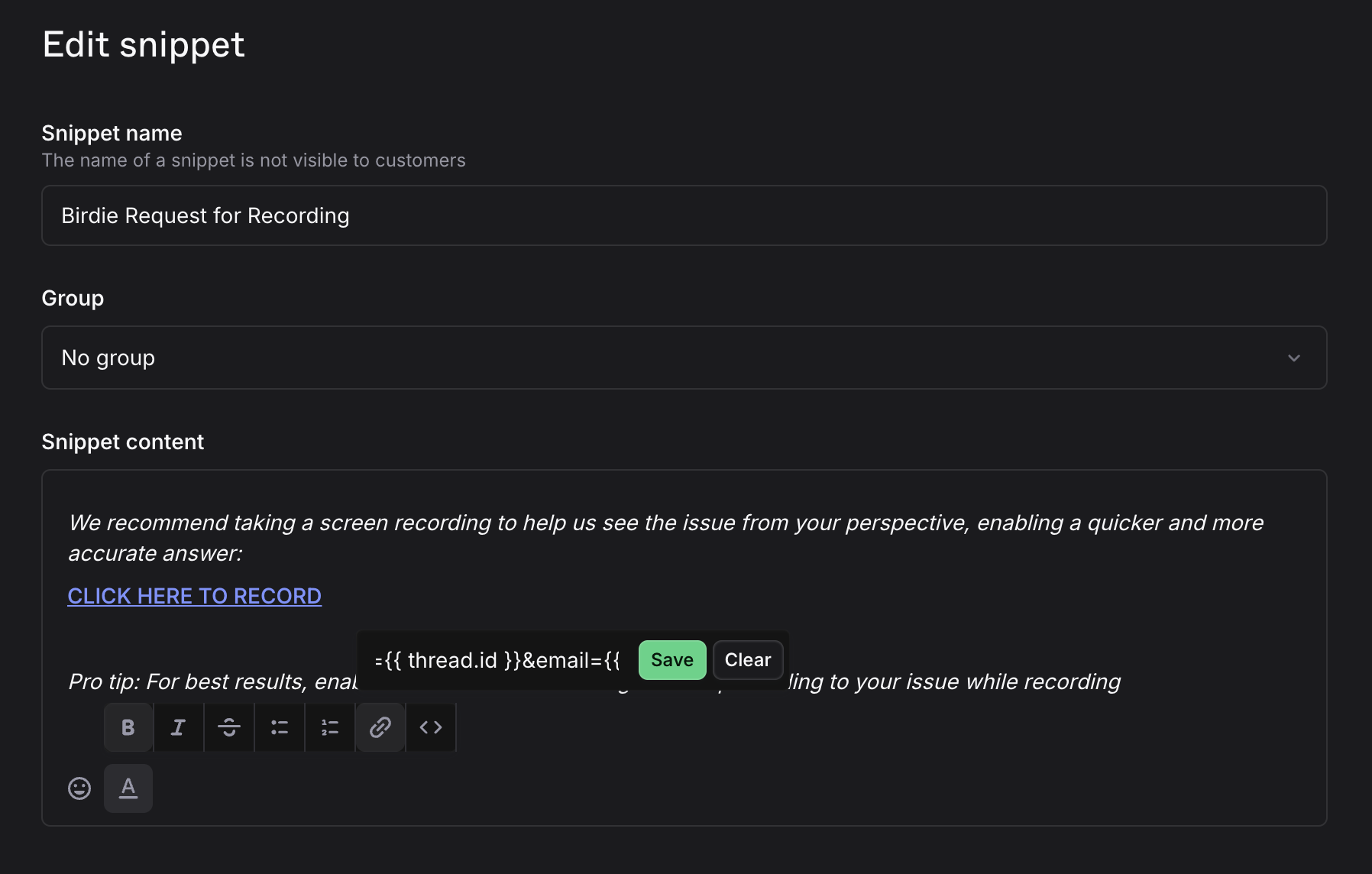
Go to your Plain Settings > Snippets and add a new Snippet.
### 2 – Add the Message
Here’s a message that works really well (feel free to tweak the tone to fit your brand):
> *We recommend taking a screen recording to help us see the issue from your perspective, enabling a quicker and more accurate answer:*
>
> **CLICK HERE TO RECORD**
>
> *Pro tip: For best results, enable audio and talk us through the steps leading to your issue while recording*
### 3 – Insert the Birdie Request Link
[Go to your Birdie settings](https://app.birdie.so/settings) and copy your **Birdie Request Link.**
\
Then, in your Plain Snippet, select the text you want to make clickable (for example: `CLICK HERE TO RECORD`) and add the Birdie Request Link as a hyperlink: