> For the complete documentation index, see [llms.txt](https://docs.birdie.so/birdie-docs/llms.txt). Markdown versions of documentation pages are available by appending `.md` to page URLs; this page is available as [Markdown](https://docs.birdie.so/birdie-docs/helpdesk/salesforce-service-cloud/flows/agent-initiated-requests-messaging-in-app-and-web.md).
# Agent-Initiated Requests (Messaging – In-App & Web)
{% hint style="info" %}
Birdie integrates with **Salesforce Messaging for In-App and Web.** Birdie does not support the deprecated **Salesforce Chat (formerly Live Agent)**.
{% endhint %}
Before you start, make sure **Birdie is already** [**installed on your Salesforce Case page**](/birdie-docs/helpdesk/salesforce-service-cloud/installation.md).
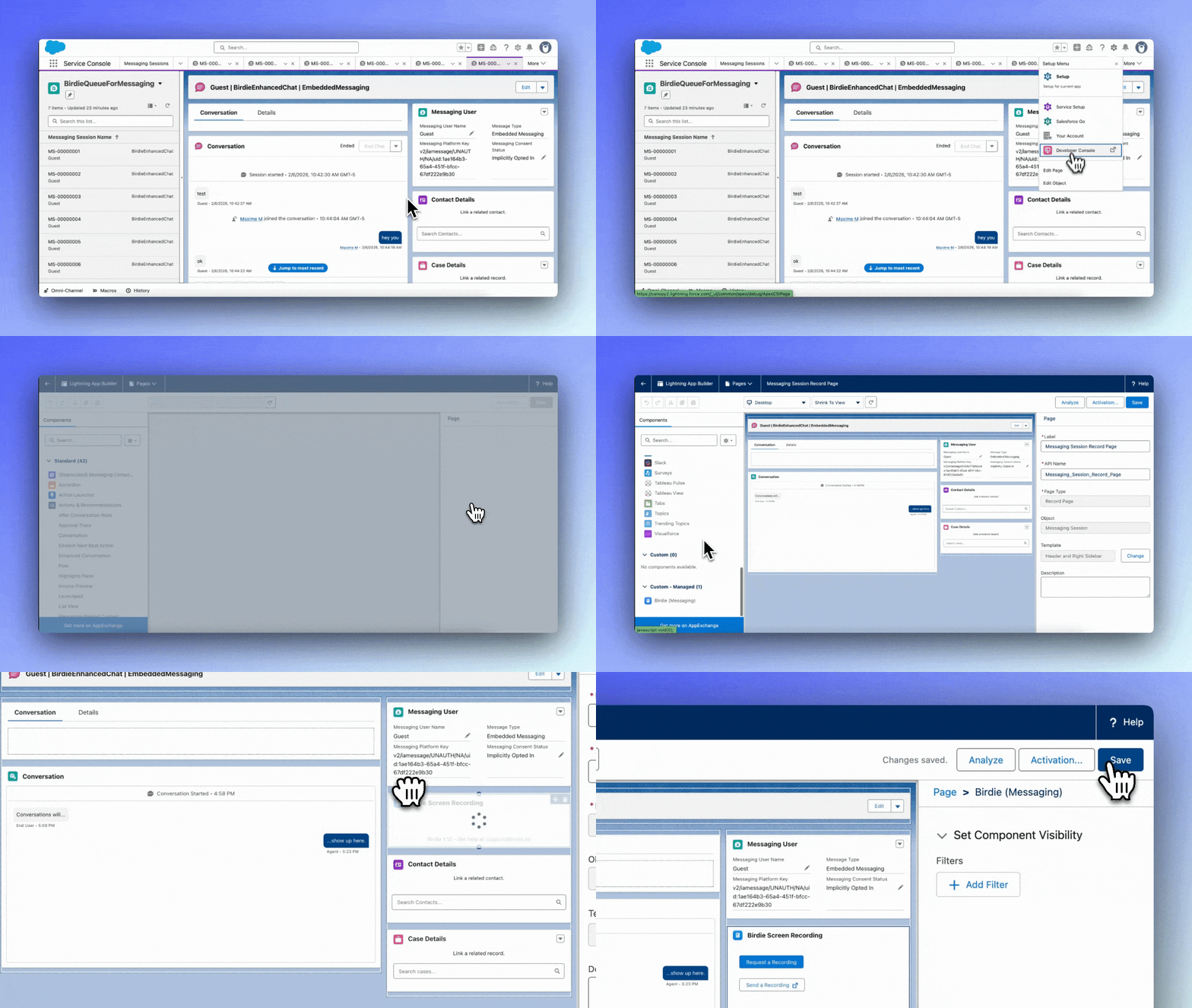
### Step 1: Add Birdie to the Messaging Session Record Page
1. In Salesforce, open a **Messaging Session** record.
2. Click **Setup → Edit Page**.
3. In the Lightning App Builder, **drag & drop the Birdie Lightning Web Component (LWC)** onto the page.
4. Click **Save** (and **Activate** if Salesforce prompts you).
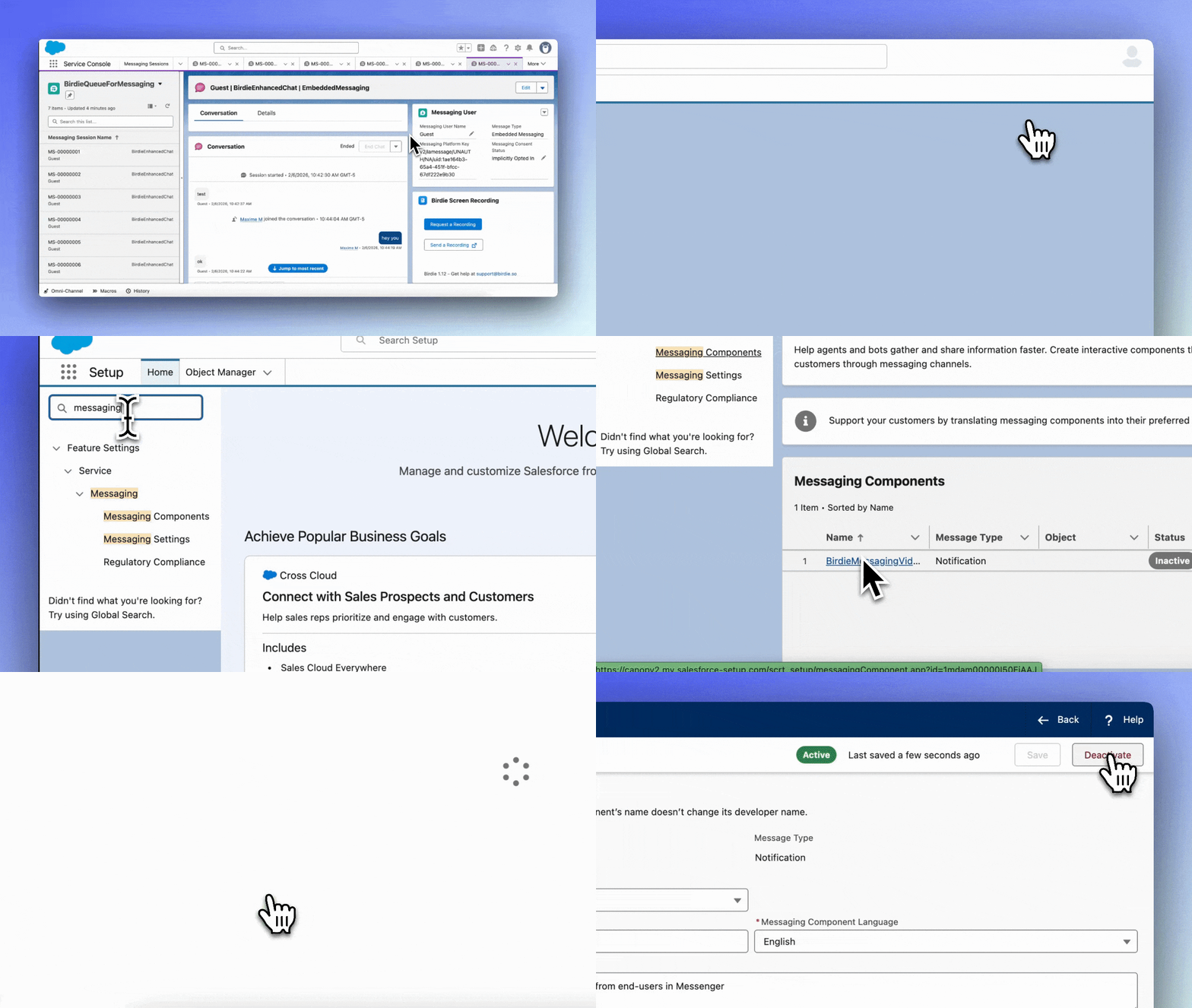
### Step 2: Activate Birdie’s Messaging Component
1. Go to **Setup → Messaging Components**.
2. Click **BirdieMessagingVideoPost**.
3. Set it to **Active**.
{% hint style="info" %}
As of today recording links used from the Messaging Session Record Page are not included [in Analytics](/birdie-docs/helpdesk/salesforce-service-cloud/analytics.md)
{% endhint %}