> For the complete documentation index, see [llms.txt](https://docs.birdie.so/birdie-docs/llms.txt). Markdown versions of documentation pages are available by appending `.md` to page URLs; this page is available as [Markdown](https://docs.birdie.so/birdie-docs/request-screen-recordings/misc./forward-recordings.md).
# Forward recordings
Make it work your way
### Webhooks
{% content-ref url="/spaces/LNLpSh5W2kAOtQ9wcLkW/pages/x39kUGzkN6PvtcBYX8Ry" %}
[Webhook Integration Guide](/birdie-docs/birdie-api/webhook-integration-guide.md)
{% endcontent-ref %}
### Email
{% hint style="info" %}
Mostly useful if you use Birdie Standalone Link or Birdie Web SDK
{% endhint %}
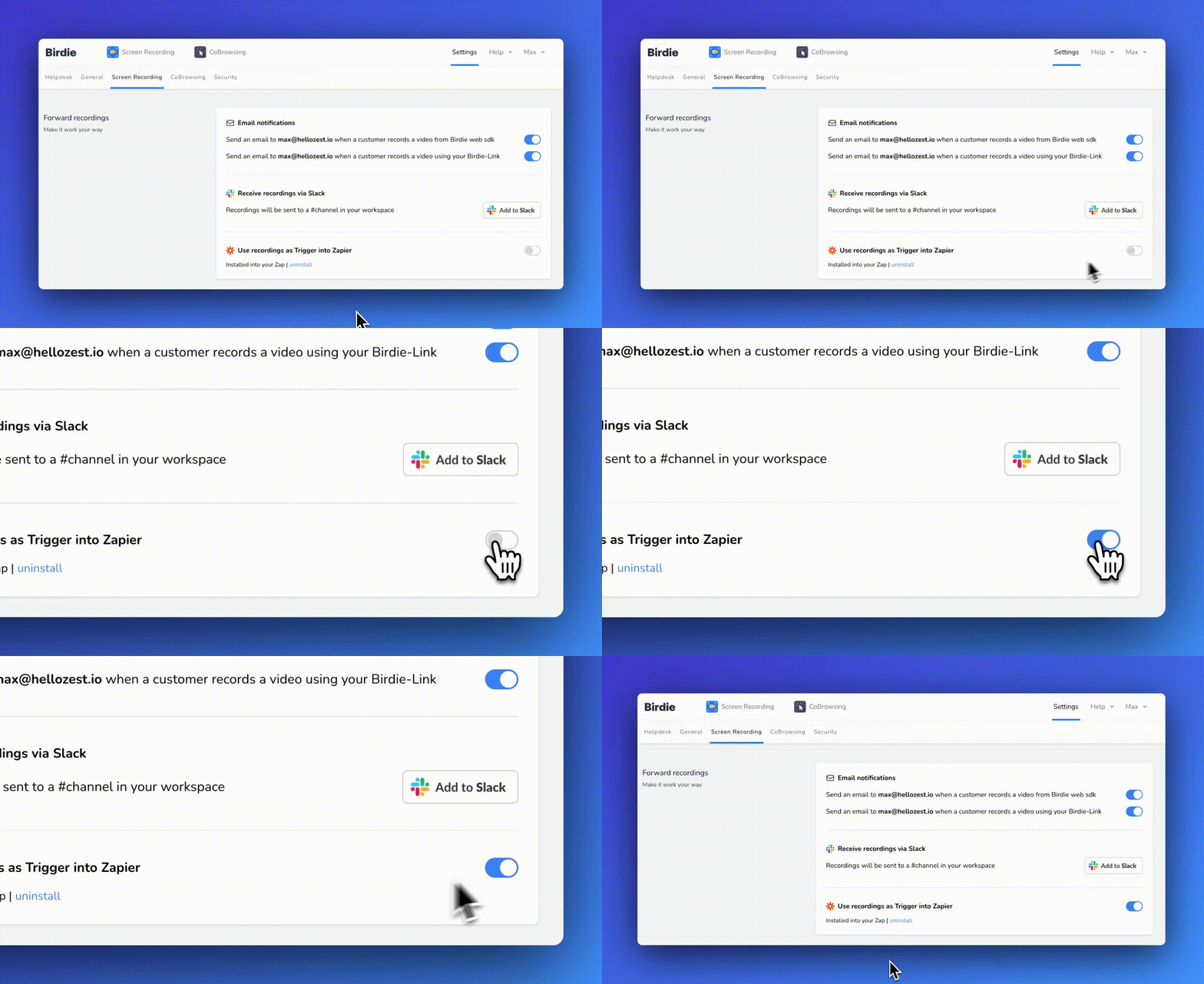
Go to [settings -> ](https://app.birdie.so/settings)[screen recording](https://app.birdie.so/settings/screen-recording) if you want to receive an email when a new incoming recording is submitted.
Forward to email
### Slack
Go to [settings -> integrations ](https://app.birdie.so/settings) if you want to receive a Slack notification on a specific channel when a new incoming recording is submitted.
What if the Slack channel is private?
If you've set up Slack forwarding into a private channel, Birdie won't be able to post feedback until you add its bot to the channel. Fixing this issue is easy: go to your channel and type "@Birdie Post". Slack will prompt you to add the user to the channel. Once added, all your videos will be forwarded to Slack.
Forward to Slack
### Zapier
Go to [settings -> integrations](https://app.birdie.so/settings/helpdesk#zapier) if you want to build your own flow when a new incoming recording is submitted.