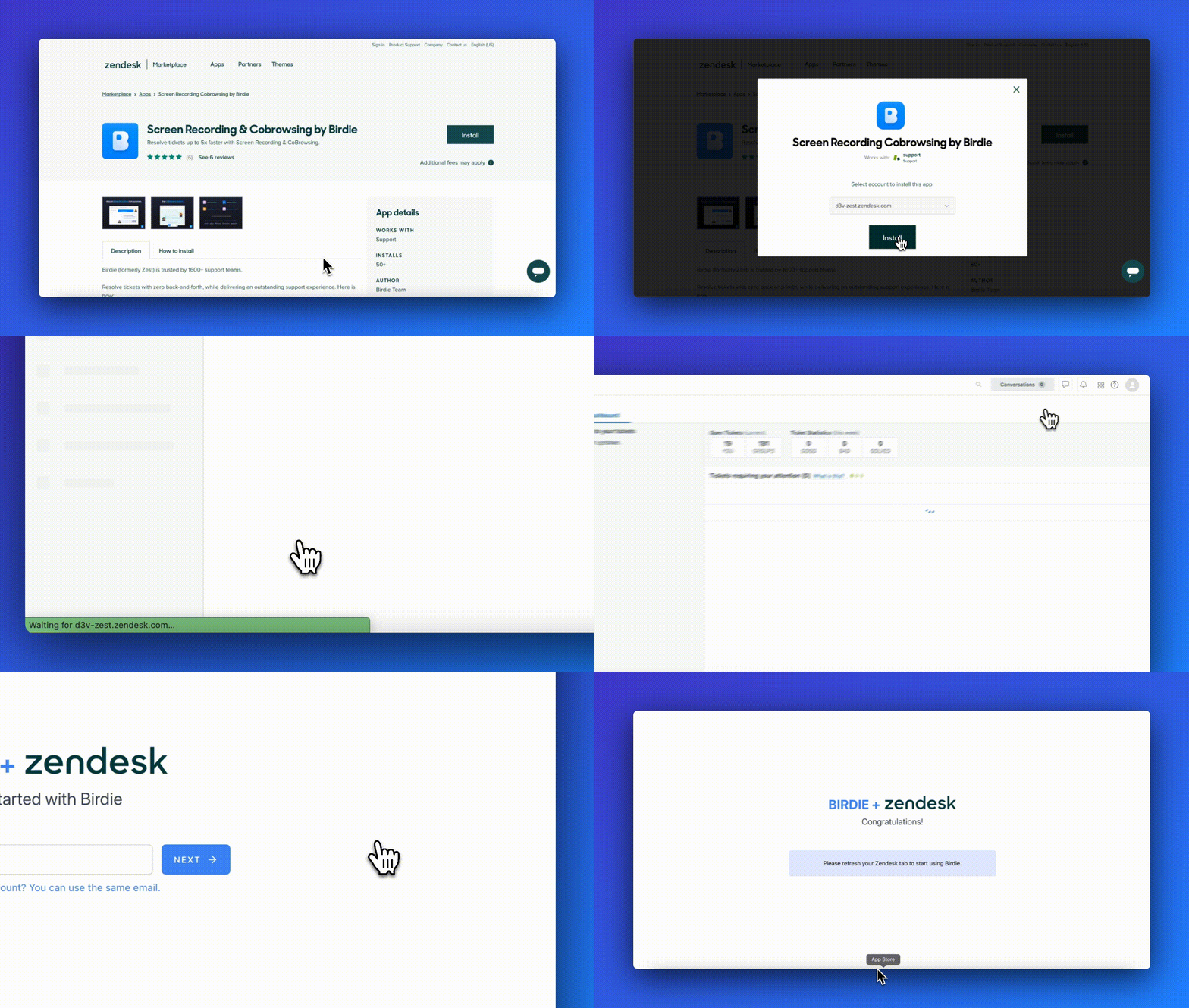
# Installation
{% hint style="info" %}
**Requirement:** You need to be a Zendesk admin
{% endhint %}
1. Install Birdie from [Zendesk Marketplace →](https://www.zendesk.com/marketplace/apps/support/452045/screen-recording-by-zest/)
2. Click on `Connect` to link your Birdie app to your Birdie account:
* if you **don't** have a Birdie account yet, use your professional email address,
* if you **already** have a Birdie account, use the same email address.
(*Note: if you're already logged in, you don't need to do this step*)
{% hint style="success" %}
If you need help or have a question, contact us at
{% endhint %}