# Uninstall

{% hint style="info" %}
**Requirements:**

* You need to be a Zendesk Admin.
  {% endhint %}

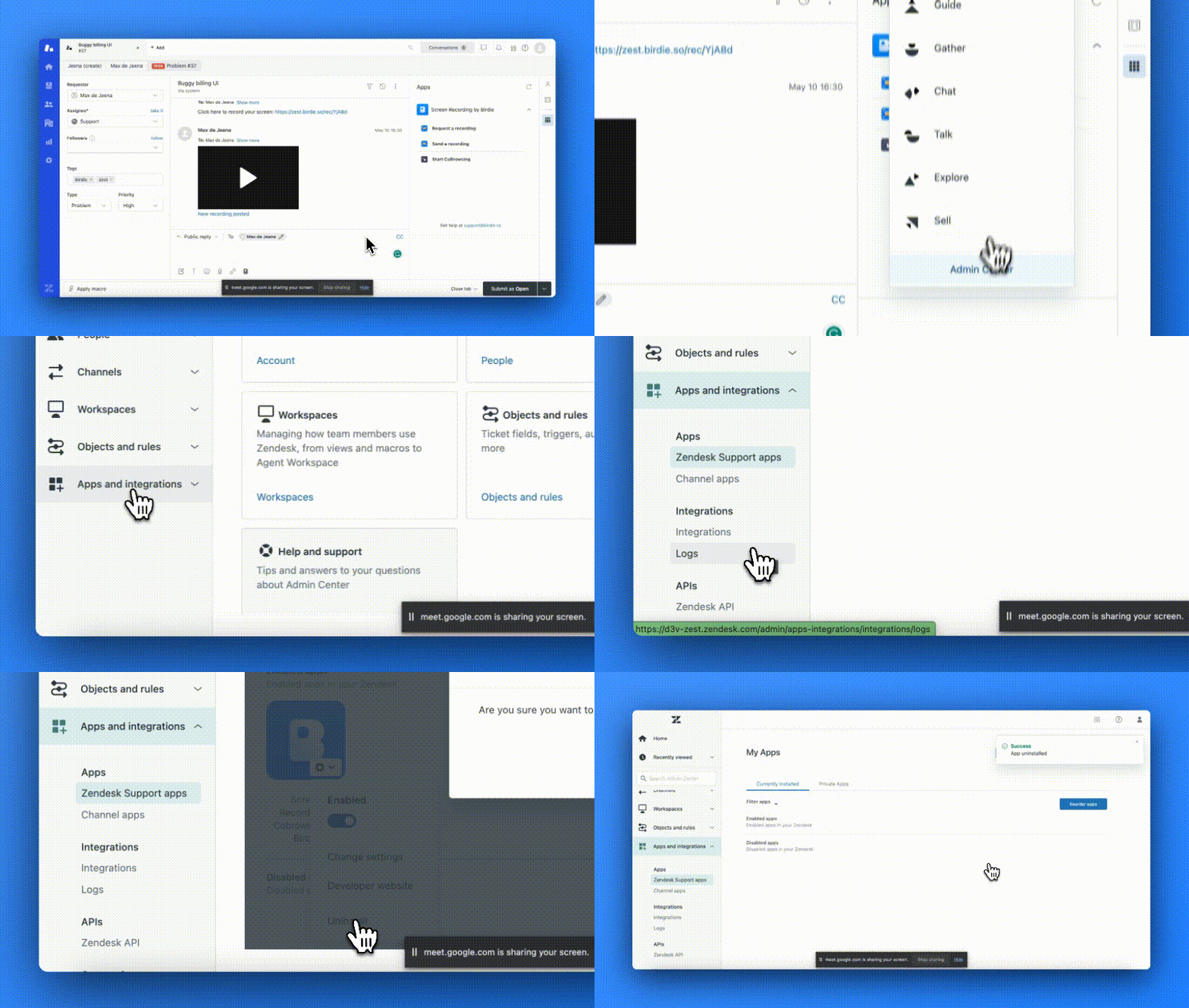
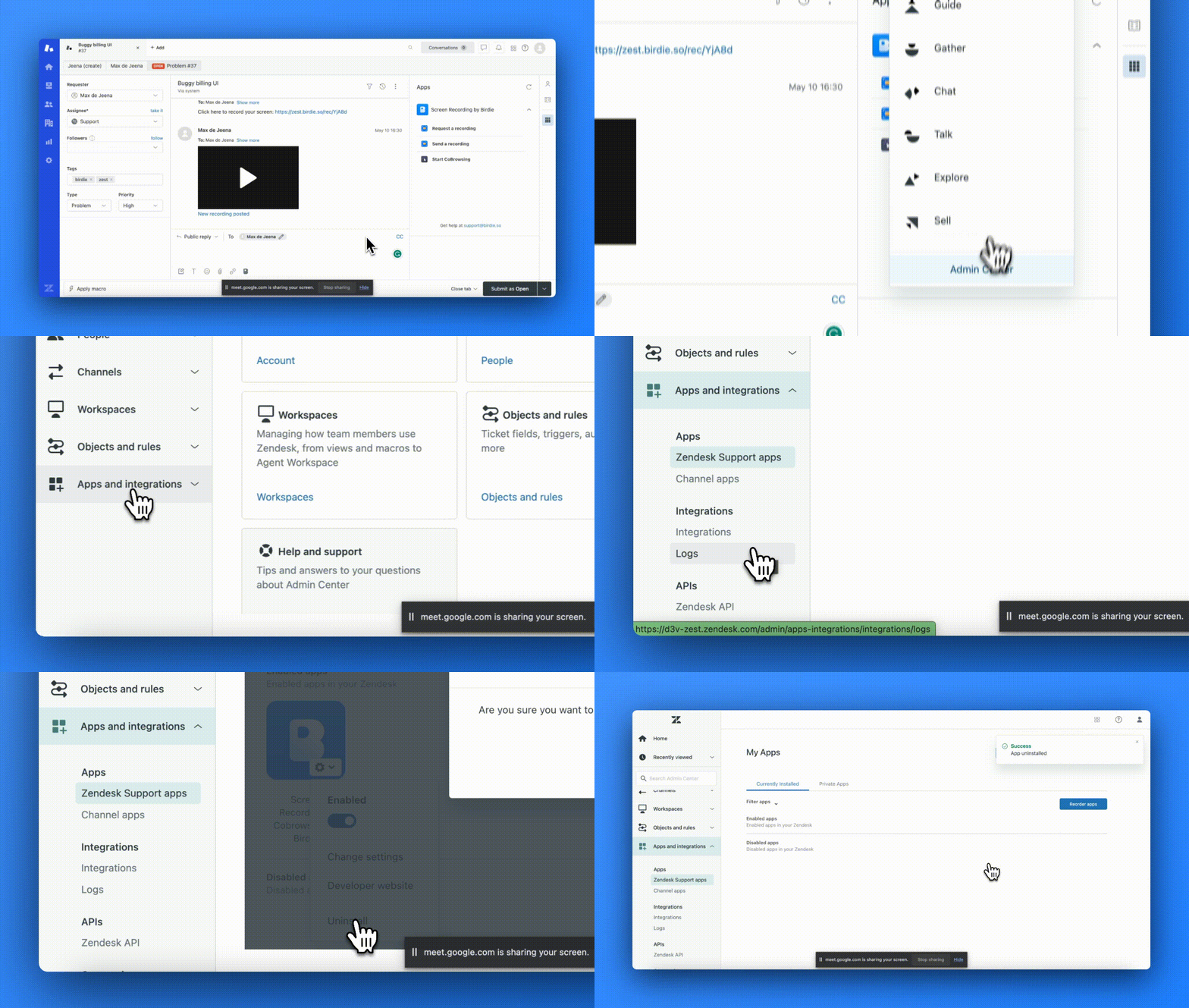
1. Visit <mark style="color:red;">`Admin Center`</mark>
2. Select on <mark style="color:red;">`Apps and integrations`</mark>
3. Select on <mark style="color:red;">`Zendesk Support apps`</mark>
4. Select on <mark style="color:red;">`Settings`</mark>
5. Click on <mark style="color:red;">`Uninstall`</mark>

<figure><img src="https://3843507234-files.gitbook.io/~/files/v0/b/gitbook-x-prod.appspot.com/o/spaces%2FECPgvsGwy5oMz4WIZw3a%2Fuploads%2FLdQi5zEDXewYlbv3vkey%2FT.gif?alt=media&#x26;token=5ecede0d-c49d-4ff4-911d-2553c869c2a4" alt=""><figcaption></figcaption></figure>

<figure><img src="https://3843507234-files.gitbook.io/~/files/v0/b/gitbook-x-prod.appspot.com/o/spaces%2FECPgvsGwy5oMz4WIZw3a%2Fuploads%2FvendGP43pNb3EOtkwgfA%2Ftt.gif?alt=media&#x26;token=a4e56291-cafd-4d58-b24e-d09097888b24" alt=""><figcaption></figcaption></figure>

<figure><img src="https://3843507234-files.gitbook.io/~/files/v0/b/gitbook-x-prod.appspot.com/o/spaces%2FECPgvsGwy5oMz4WIZw3a%2Fuploads%2FLRHsRF0YY7ZA4Cg95Obe%2Fttt.gif?alt=media&#x26;token=d9ebe519-d6c0-4978-bf32-96af0f672697" alt=""><figcaption></figcaption></figure>

💡 Uninstalling an app will typically delete its associated data and settings from your Zendesk account. To keep this information, disable the app instead by following the steps above and clicking "Disable" instead of "Uninstall.”